

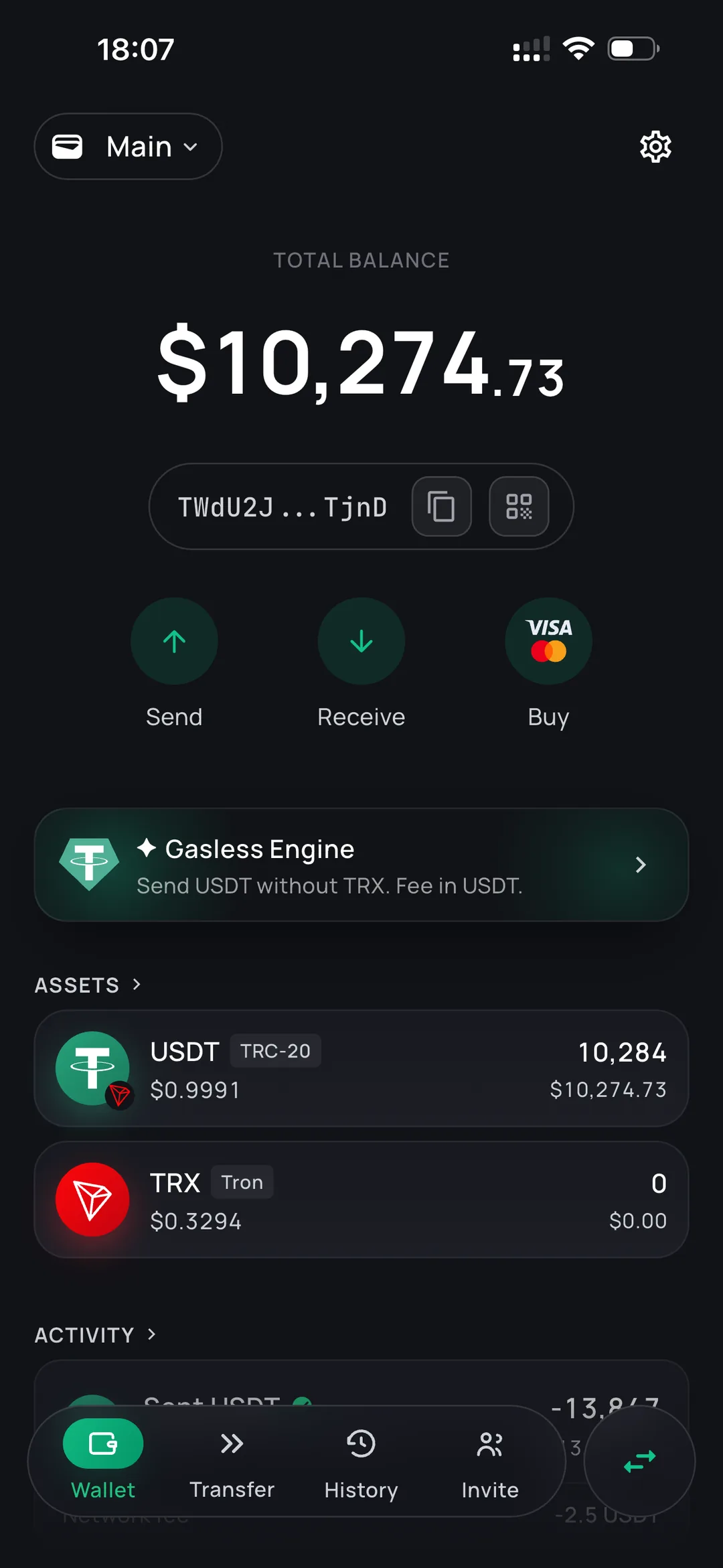
Send USDT without buying TRX first
Every USDT transfer on TRON costs energy. If your address has none, the network takes TRX instead — which is why almost every wallet asks you to buy and hold a second token just to move the first one.
ONIQ delegates the energy to your address and takes its fee out of the USDT you're sending. No top-ups, no swaps, and no TRX balance to maintain — the long version is in how to send USDT without TRX.
Can't send
Ready to send
What the wallet does
Send and receive
Paste an address or scan a QR code, type the amount, confirm. There are no gas settings, no approvals and no swap screen to get through first.
Self-custody, no account
Your keys are generated on your device and never leave it. No email, no phone number, no KYC — and no analytics or tracking SDKs in the app.
A fee you can predict
A flat 2.5 USDT per transfer, or 3.5 USDT if the receiving address has never held USDT before. The exact amount is shown before you confirm.
About Tether (USDT)
Tether (USDT) is a stablecoin designed to hold a value of one US dollar, backed by reserves held by its issuer. It is the most widely used stablecoin for payments and transfers.
USDT exists on many networks. ONIQ supports it on TRON, where it is issued under the TRC-20 standard — the network most people use for transfers because fees are low and confirmation takes seconds.
The network matters more than the address. A TRON address always starts with T and is 34 characters long. An address beginning with 0x belongs to Ethereum or BNB Chain, and USDT sent there over TRON cannot be recovered — which network to pick is worth two minutes before a first transfer.
TQx7wRpL2n8hZ84GbcEyK1sVa9dJTu3Xq
0x3f2a9C1b7E54dA08b61F0cE2d9aB73e45C81fA29
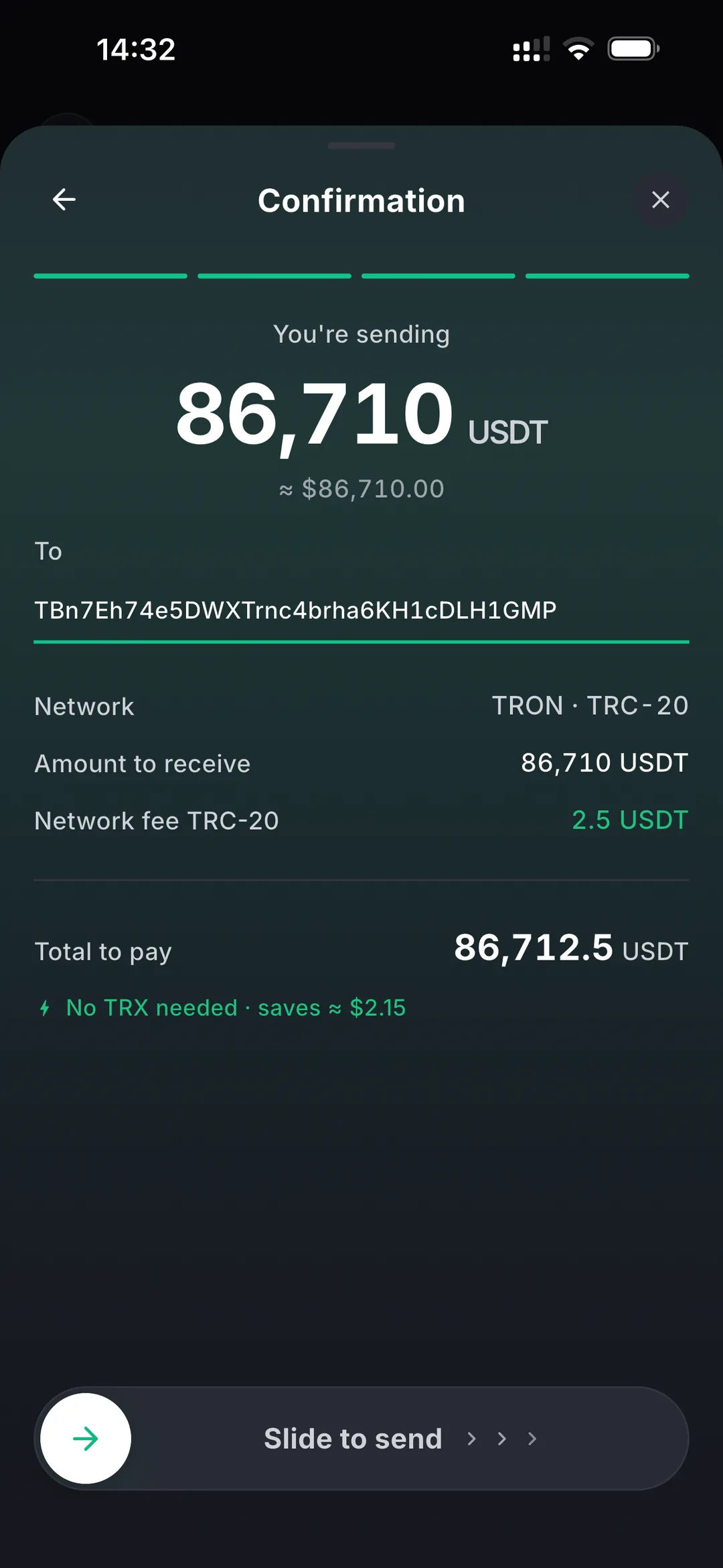
How to send USDT
- 1
Open the app and tap Send
Pick USDT. Your balance and the fee are shown on the same screen, so there is nothing to look up elsewhere.
- 2
Enter the address and amount
Paste the recipient's TRON address or scan their QR code, then type how much you're sending.
- 3
Confirm
Approve with your PIN, Face ID or a fingerprint. The transfer is signed on your device and reaches the network in seconds.
Why your funds stay yours
There is no approval and no allowance. Your transfer and our fee are two ordinary transfer() calls on Tether's own contract, signed on your phone — not calls into a contract of ours that could move your balance later.
Our relay delegates energy to your address and broadcasts a transaction you have already signed. Change the recipient or the amount by a single digit and the signature stops matching, and the network rejects it. That is a property of the signature, not a promise from us.
Amount changed in transit
Questions
Do I need TRX to use this wallet?
No. ONIQ delegates the energy your transfer needs and charges its fee in USDT, so you never have to buy, hold or top up TRX.
What does a transfer cost?
A flat 2.5 USDT, or 3.5 USDT when the receiving address has never held USDT before — a first-time address costs roughly twice the energy on TRON. The exact amount is always shown before you confirm, and what a transfer actually costs breaks the number down.
Is ONIQ custodial?
No. Your keys are generated on your device and stay there, protected by your PIN. We never hold them and cannot move your funds or freeze your balance.
Which networks does it support?
TRON (TRC-20). The wallet is built for one asset on one network rather than a long list, which is what makes the transfer flow this short.
What happens if I lose my phone?
You restore the wallet on a new device with your recovery phrase. Write it down when you create the wallet and keep it offline — it is the only way back in, and nobody, including us, can recover it for you.
Is there an account or any verification?
There is no account at all. No email, no phone number and no KYC. You install the app, create or import a wallet, and it works — how to create a USDT TRC-20 wallet walks through it.